Analyze WAV and FLAC
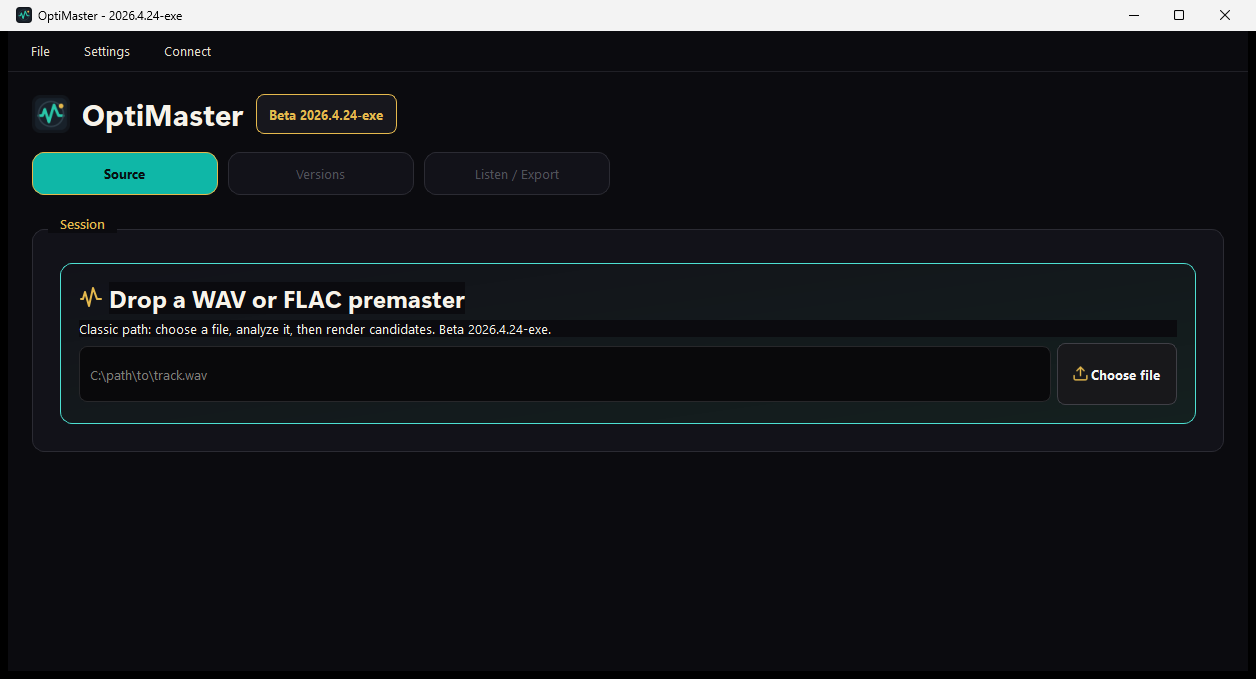
FFmpeg-powered source analysis with LUFS, True Peak, LRA, dynamics, and profile diagnostics.
OptiMaster - miroir vitrine du repo GitHub pour analyser, comparer et exporter des masters audio plus propres.
Voir le repo GitHub du projetBuilt with Python, PySide6, and FFmpeg
OptiMaster analyzes WAV and FLAC premaster files, renders safe mastering candidates, shows before/after metrics, and helps you export a cleaner final version.
Windows-first beta. FFmpeg required. Your ears still make the final call.
Why it exists
Mastering tools can be opaque. OptiMaster makes the process easier to read: source diagnostics, measurable candidates, score reasons, and direct before/after comparison.
It is not magic one-click mastering. It helps creators make a better decision, then verify exports on real listening systems.
What it does
FFmpeg-powered source analysis with LUFS, True Peak, LRA, dynamics, and profile diagnostics.
Fast LUFS goals for streaming, SoundCloud, club/DJ, hard/raw tests, or a custom GUI target.
Clean/safe, balanced, and louder modes with strict True Peak, fallbacks, and time budgets.
Candidate scoring explains tradeoffs so the loudest file does not automatically win.
A/B listening, waveform preview, playback visualization, notes, preferences, and session history.
Analyze, render, batch process, run presets, and save listening notes from the command line.
Workflow
Beta download
GitHub is only where the beta file is hosted. You do not need an account, Git, or any code tools. Look for OptiMaster-v2026.4.24-beta.2-windows-x64.zip, unzip it, then open OptiMaster.exe.
Portable Windows zip. FFmpeg must be installed separately before analyzing audio.
Open download pageOn GitHub, scroll to the latest release and find the small Assets list. That is where the Windows zip lives.
Choose OptiMaster-v2026.4.24-beta.2-windows-x64.zip. Ignore source code downloads unless you are a developer.
Extract the zip somewhere simple, then double-click OptiMaster.exe. Windows may ask you to confirm because this is a beta build.
OptiMaster uses FFmpeg for audio analysis and rendering. If analysis does not start, install FFmpeg and make sure it is available in Windows PATH.
Built for contributors
Honest beta note
Try it, break it, improve it.